

















Understand DNS. Manage It Yourself.
DNS connects your domain name to your website, email, and apps. You can manage it in a few clicks from your NDE Connect dashboard.
In your NDE Connect dashboard.
You don't need a developer to manage DNS. From your dashboard, you can:
Manage DNS records
Add, edit, and delete DNS records.
Connect your domain
Point your domain to a website or hosting provider.
Set up business email
Use Google Workspace, Microsoft 365, or Zoho.
Add email security
Set up SPF, DKIM, and DMARC records.
Create subdomains
Like blog.yourbusiness.com or shop.yourbusiness.com.
Custom nameservers
Switch to custom nameservers if you use another provider.
Enable DNSSEC
Add an extra layer of protection to your domain.
Import or export
Import or export your DNS zone file.
Five steps. That's it.
Log in to your dashboard
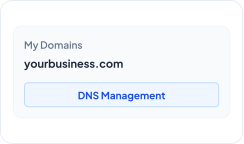
Sign in to your NDE Connect account and open My Domains.

Select your domain
Choose the domain you want to manage and click DNS Management.
Add or edit a record
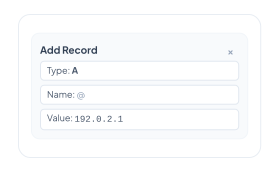
Click Add Record, then choose the record type, enter the name and value, and set the TTL.
Save your changes
Click Save Record. Your update is sent live right away.

Wait for propagation
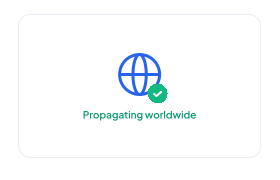
Most changes work within minutes. Some can take up to 24 to 48 hours to reach everyone worldwide.
Log in to your dashboard
Sign in to your NDE Connect account and open My Domains.
Select your domain
Choose the domain you want to manage and click DNS Management.
Add or edit a record
Click Add Record, then choose the record type, enter the name and value, and set the TTL.
Save your changes
Click Save Record. Your update is sent live right away.
Wait for propagation
Most changes work within minutes. Some can take up to 24 to 48 hours to reach everyone worldwide.
Common tasks made simple
Add an A record with Name @ and Value set to your hosting IP address. Then add a CNAME record with Name www pointing to your domain.
Add the MX records from your email provider, then add SPF, DKIM, and DMARC TXT records so your emails land in the inbox.
Add an A or CNAME record with the subdomain name, such as blog or shop.
Add the TXT record the service gives you. Most verifications complete within minutes.
Questions about DNS Manager?
A domain is your website's address (like yourbusiness.com), while DNS is the system that directs visitors from that address to where your website, email, or apps are hosted.
Usually no. Once your domain is connected to your website and email, you only need to change DNS when switching hosting, adding new tools, or creating subdomains.
DNS changes take time to propagate globally across internet service providers. While most updates happen within minutes, some can take up to 24 to 48 hours.
Yes. Change your nameservers in the dashboard to point to your preferred provider.
TTL (Time to Live) tells DNS servers how long to cache your record settings before checking for new updates. Lower TTL values help changes propagate faster.
Yes. You can edit or revert any record back to its previous value or delete it entirely at any time from your NDE Connect dashboard.
Yes. Full DNS management is included at no extra cost with every domain registered or transferred to NowDigitalEasy.
Ready to take control of your domain?
Manage your DNS records in a few clicks, no technical expertise needed.